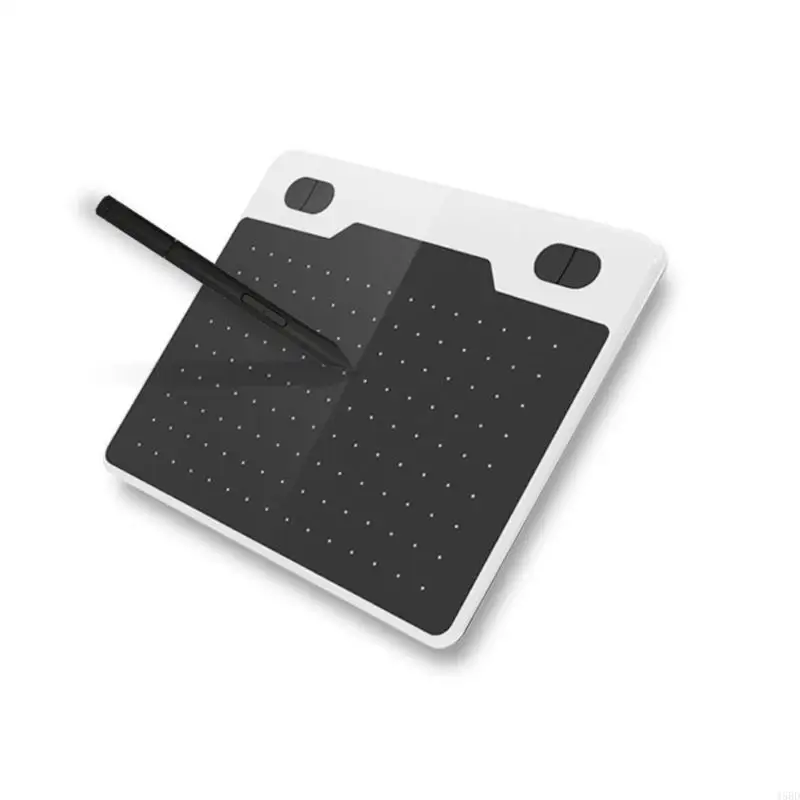
Unlock Your Creativity: The Best Graphic Tablets of 2025
As we step into 2025, the world of digital art is more vibrant and accessible than ever. Whether you're a professional illustrator, a budding graphic designer, or simply someone who loves to sketch, there's a graphic tablet out there to suit your needs and budget. For instance, you can get the T503 Professional Graphics Tablet for just $25.19, down from its original price of $37.60, making it an excellent choice for those on a budget. This article dives deep into the top five graphic tablets that will help you bring your artistic visions to life.
By PickNest Editorial Team
Why Graphic Tablets Matter in Your Daily Life
In today’s fast-paced digital world, graphic tablets have transformed the way artists and creators work. Unlike traditional pen and paper, graphic tablets offer a plethora of advantages that streamline the creative process. For one, the ability to easily edit and manipulate your works on-screen saves both time and effort, allowing for a smoother workflow.
Imagine being able to sketch directly into your favorite software, applying various brushes and tools without the mess of ink or paint. Graphic tablets also provide sensitivity settings that allow for greater control over line thickness and opacity, enhancing your ability to create detailed artwork. Additionally, their portability means you can take your creativity on-the-go—perfect for artists who find inspiration in different environments.
Moreover, graphic tablets are increasingly affordable, making them accessible for students, hobbyists, and professionals alike. By investing in a quality graphic tablet, you're not just purchasing a tool; you’re opening the door to endless creative possibilities.
Spotlight on Our Top Picks
T503 Professional Graphics Tablet
The T503 Professional Graphics Tablet stands out as an affordable yet effective option for creatives. Priced at $25.19, this tablet features low latency and 8192 pressure levels, making it ideal for intricate designs and detailed illustrations.
- Pros: Affordable, responsive pressure levels, compatible with various devices including computers and smartphones.
- Cons: Limited brand recognition compared to premium models.
Wacom Intuos Pro
If you're looking for a premium option, the Wacom Intuos Pro is a favorite among professional artists. Priced around $349, it offers top-tier features like customizable express keys, multi-touch capabilities, and a sleek design. It has received glowing reviews for its performance and build quality.
- Pros: High sensitivity levels, robust software support, excellent build quality.
- Cons: Higher price point, which may not fit every budget.
Huion Kamvas Pro 16
Another excellent choice is the Huion Kamvas Pro 16, available for approximately $399. The large display and impressive color accuracy make this tablet a great tool for digital painting and graphic design. It features a 120% sRGB color gamut for vibrant artwork.
- Pros: Large screen, high color accuracy, includes a stylus with customizable buttons.
- Cons: Requires a connection to a computer, which may not be ideal for all users.
Gaomon PD1560
For those looking for a mid-range option, the Gaomon PD1560 is priced at around $299. This tablet combines affordability with quality, offering a 15.6-inch display and 8192 levels of pressure sensitivity.
- Pros: Affordable, decent display size, compatible with major software.
- Cons: Some users report color accuracy issues.
Key Features to Look for When Buying a Graphic Tablet
When shopping for a graphic tablet, consider the following features to ensure you choose the best one for your needs:
- Pressure Sensitivity: Look for tablets that offer at least 8192 levels of pressure sensitivity for greater control over your brush strokes.
- Size and Display: Depending on your workspace and preferences, choose a tablet size that fits comfortably on your desk. Display tablets are excellent for those who prefer to see their work directly on screen.
- Compatibility: Ensure that the tablet is compatible with your operating system and preferred design software.
- Stylus Quality: A good stylus should feel comfortable in your hand, have customizable buttons, and not require batteries.
Price Range Breakdown
Budget Picks
For those on a tight budget, you can find reliable options starting around $25. The T503 Professional Graphics Tablet is a fantastic entry-level option that provides essential features without breaking the bank.
Mid-range Picks
In the $200 to $400 range, the Gaomon PD1560 and Wacom Intuos Pro offer excellent value for their features, making them suitable for serious hobbyists and professionals.
Premium Picks
If you're willing to invest more, models like the Huion Kamvas Pro 16 provide advanced capabilities and superior display quality, optimal for professional artists.
Common Mistakes Buyers Make
Many buyers rush into purchasing a graphic tablet without conducting thorough research. Here are some common pitfalls to avoid:
- Ignoring Compatibility: Always check if the tablet works with your computer or operating system.
- Overlooking Pressure Sensitivity: Some budget tablets may have lower sensitivity levels, which can hinder your creative process.
- Not Considering Your Use Case: Think about how you plan to use the tablet—if you're into on-the-go sketching, a portable model may be more suitable.
Buying Guide with Practical Tips
When selecting the right graphic tablet, keep the following tips in mind:
- Read Reviews: Look for user reviews and ratings to gauge the performance and reliability of the tablet.
- Test the Tablet: If possible, try out different models at a retail store to see which feels most comfortable to you.
- Consider Additional Accessories: Some tablets may require additional purchases, such as a stand or extra nibs, so factor those into your budget.
FAQs
1. What is the best graphic tablet for beginners?
The T503 Professional Graphics Tablet is an excellent choice for beginners due to its affordability and essential features.
2. Do I need a display on my graphic tablet?
While display tablets offer a more intuitive experience, non-display tablets can be just as effective once you get accustomed to them. Choose based on your comfort level and preference.
3. Can I use a graphic tablet for photo editing?
Absolutely! Graphic tablets are great for photo editing as they allow for precise control over brushwork and other editing tools.
4. How much should I spend on a graphic tablet?
It depends on your needs. Budget options can start as low as $25, while professional models can go upwards of $300. Determine your budget before shopping.
5. Is a stylus included with all graphic tablets?
Most graphic tablets come with a stylus, but always double-check the product details to ensure it is included.
The Final Verdict
Related Products on PickNest
Explore these hand-picked products from PickNest — compare prices and ratings before you buy.